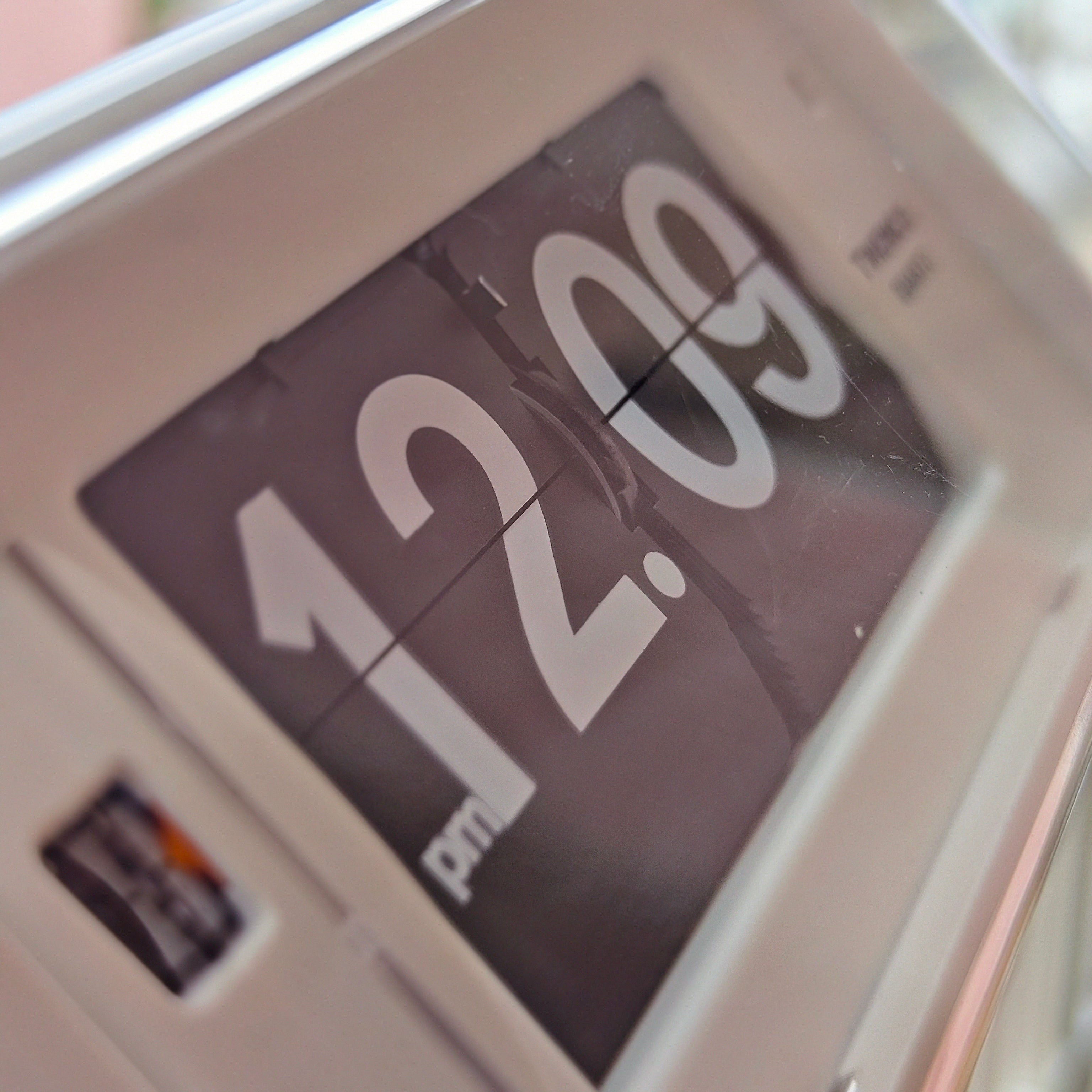
A desk clock should make time easy to check and add something considered to the workspace. It should not compete with the screen, occupy the only clear writing area, or turn a practical desk into a shelf of props. The simplest approach is to treat the clock as one deliberate object in a working layout: give it a useful place, let its shape set the visual tone, and leave enough room around the tasks you do every day.
This guide focuses on styling and placement rather than choosing a clock. For the wider selection question, see our desk clock guide to balancing style and function.
Start with the work the desk has to support
Before moving objects around, name the main activities that happen at the desk. A laptop setup needs room for a keyboard, mouse and charging cable. A writing desk needs a clear patch of surface. A maker’s workspace may need tools within reach, while a shared desk may need to reset quickly at the end of the day. The clock’s position should follow those needs.
Think in three simple zones:
- Work zone: the space your hands need for typing, writing or making. Keep the clock out of this area.
- Reference zone: the part of the desk you can glance toward without interrupting the task. A clock often works well here, beside or slightly behind the main screen or notebook.
- Parking zone: a small, consistent place for items that come and go, such as a phone, keys or a notebook. Avoid letting the clock become part of an expanding pile.
These zones do not need tape or strict measurements. Their purpose is to make the layout intentional. A clock placed where it is useful is less likely to be shifted repeatedly into the remaining open space.
Give the clock a clear role in the visual hierarchy
Every object has visual weight. A large face, strong contrast, bright color, unusual silhouette or visible mechanism will attract attention before a quiet, compact design. Decide whether the clock should be a focal point or a supporting object, then let that choice guide what sits nearby.
If the clock is the focal point, keep its immediate surroundings simple. One restrained companion—perhaps a small notebook or a low tray—can make it feel placed without building a decorative cluster. If the clock is meant to recede, choose a calmer position and avoid lining it up with several other high-contrast objects.
Use the monitor or a task lamp as the main anchor when those are central to the setup. A clock can sit to one side as a secondary point of interest. This keeps the layout from reading as a row of equally prominent objects. A useful test is to look at the desk from the doorway: does the eye land first on the work area, the clock, or a jumble of competing shapes?
Choose placement by how you read the time
Put the clock where a glance feels natural from your usual seated position. A desk clock may sit beside a monitor, at the back corner of a writing surface, or on a nearby shelf. The right location depends on your sightline, the clock’s size and the shape of the desk. Avoid a position that makes you twist around or repeatedly move something you need for work.
Consider what sits behind the clock. A plain wall or a calm section of shelving can give a patterned or sculptural clock room to register. A simple clock can sit against a busier background, though it still needs to remain easy to read. If the clock disappears into the monitor stand, books or cables, move it a little rather than adding more objects to frame it.
For a very small desk, a nearby shelf can preserve the work surface while keeping time visible. Our table clock collection includes forms intended for desks and other surfaces, while the broader modern flip-clock styling guide explores scale and negative space in a room.
Make the clock feel connected, not crowded
A clock can belong to a workspace through one or two shared details: a similar finish, a repeated accent color, or a compatible shape. It does not need a full themed arrangement. For example, a warm wood detail can connect a clock to a desk without repeating wood across every accessory. A crisp digital display may suit a restrained setup where the monitor and desk already provide visual structure.
If you prefer a more expressive mix, choose a single point of contrast and let it stand. Our retro-tech desk setup guide uses flip clocks as part of a deliberately nostalgic arrangement; a clutter-free workspace can borrow one tactile accent without adopting the entire look.
A combined object can also reduce the number of separate items on the desk. The Mandelda desk clock with calendar, for instance, brings time and a manual date display into one object. When styling any multi-function piece, let its own details do the work instead of surrounding it with extra displays.
Keep cables and small accessories in the background
Cables can make a carefully placed clock feel accidental. Route a power lead along the back edge where possible, and leave enough slack for normal adjustment. Battery-powered models avoid a visible cord but still need a place that is easy to reach when maintenance is due. Do not hide a control or access point behind a heavy object just to keep the surface looking clean.
Use a tray or organizer for small loose items, but keep it separate from the clock’s visual area. If every item has to share one tray, make the clock the only object that sits outside it. This creates a simple distinction between a timepiece and everyday clutter.
Design editors at Architectural Digest’s desk-organization guide similarly recommend organizing around daily-use essentials and keeping less-used things elsewhere. Apply the same principle to the clock: make its location convenient, then clear away items that do not serve the workday.
Three layouts that work in different spaces
Laptop desk
Keep the keyboard and pointing-device area open. Place a compact clock at the rear corner opposite the charging lead, or on a shelf just above the desk. A low object near the screen is less likely to block the display than a tall one, but check the view from your normal seat rather than judging only from standing height.
Writing or reading desk
Protect one uninterrupted area for paper. A clock can sit at the back edge, close enough to read but outside the page’s footprint. Pair it with a lamp only if both objects fit without pushing the work area forward.
Small shared workspace
Give the clock a repeatable home at the edge of the desk, then keep portable accessories in one tray or drawer. A consistent placement makes it easier to clear the surface when the workday ends.
A five-minute styling reset
- Remove everything that is not needed for the next task.
- Choose the work zone and leave it clear.
- Place the clock in a spot you can read naturally.
- Keep one or two nearby objects that support the layout; move the rest to storage.
- Sit down, check the view and adjust for readability, cable visibility and reach.
Then stop. A desk does not need to look empty to feel orderly. It needs enough open space for the work, with the clock placed as a useful object rather than one more thing competing for attention.
Frequently Asked Questions
Where should a desk clock go?
Place it where you can read it with a comfortable glance from your normal working position, while keeping it outside the area your hands need for typing, writing or tools. A back corner or nearby shelf often works well.
How do I style a clock on a very small desk?
Move it to a shelf or the back edge, and keep the main work surface open. Choose a position that remains visible and avoid building a cluster of accessories around it.
Should a desk clock match the rest of the room?
It can share one detail, such as a finish or accent color, without matching everything. A deliberate contrast can also work when the clock is the only strong accent on the desk.
How many decorative objects should sit beside a desk clock?
There is no fixed number. Start with the clock alone, then add only an object that improves the layout or has a practical use. If the desk feels crowded, remove items before adding a tray or another accessory.