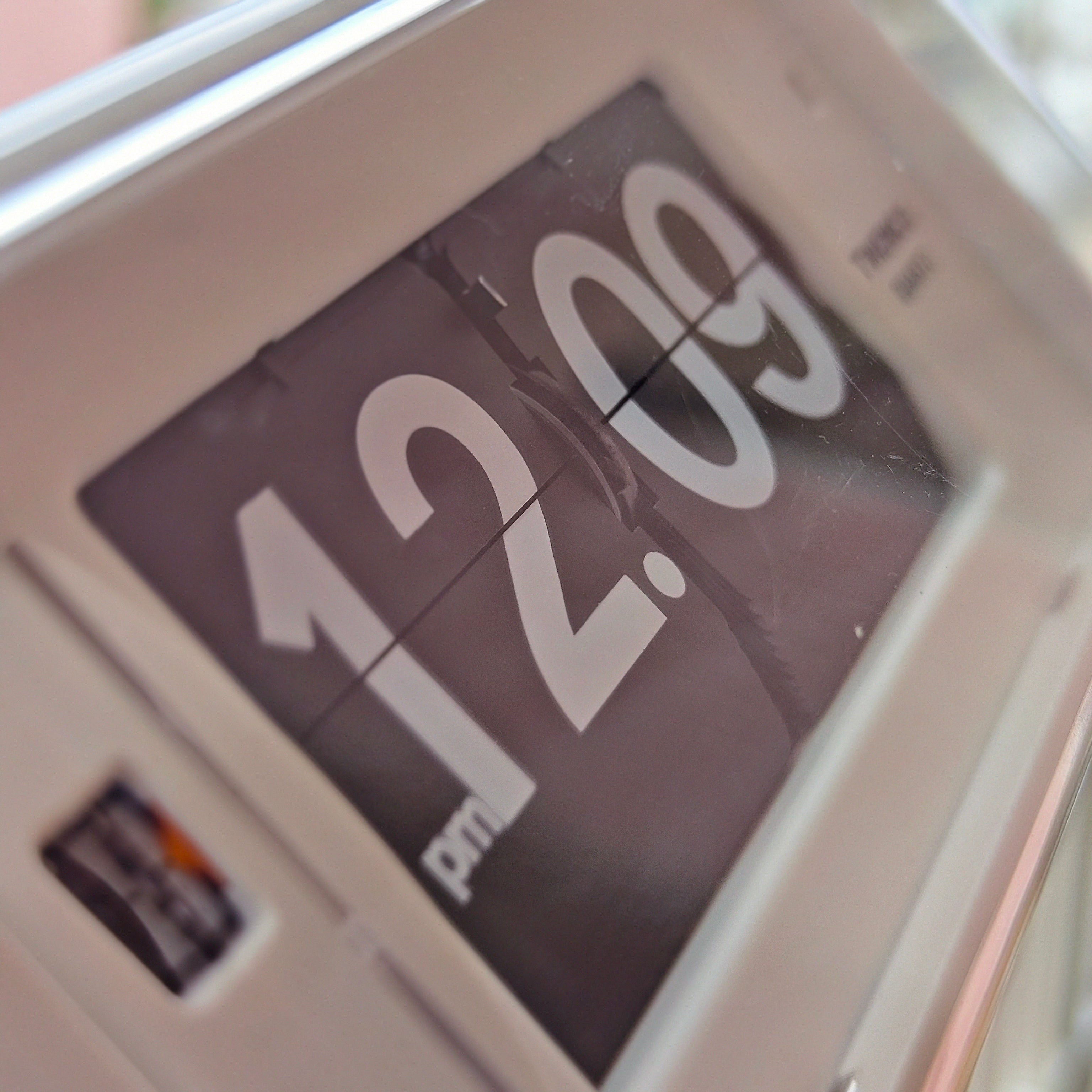
The Pivot Smart Flip
Bring a touch of retro engineering to your workspace with The Pivot Smart Flip. Combining the visual charm of a traditional flip clock with practical modern features, this compact desk clock creates a satisfying timekeeping experience that stands out from ordinary digital displays.
Every minute is displayed through a mechanical page-flipping action, turning the passage of time into something you can see and appreciate. Whether placed on a desk, shelf, bedside table, or home office setup, it adds character while remaining highly functional.
Key Features
Retro Mechanical Flip Display
Inspired by classic flip clocks, the mechanical flipping mechanism creates a dynamic and engaging display. The changing number cards provide a nostalgic experience that digital screens simply cannot replicate.
Multi-Function Design
More than just a clock, it includes several useful daily functions:
- Time Display
- Alarm Function
- Timer Function
- Date Display
Suitable for work, study, productivity sessions, and everyday scheduling.
Quiet Operation
Designed with a low-noise flipping mechanism, allowing you to enjoy the visual movement of the clock without unnecessary distractions.
Long Battery Life
Built with a rechargeable 2400mAh battery that provides approximately 3–4 months of use on a full charge, reducing the need for frequent recharging.
Perfect For
- Retro and vintage-inspired interiors
- Home office desks
- Students and productivity enthusiasts
- Unique desk décor
- Gift giving
Specifications
- Material: PVC Flip Cards
- Battery Capacity: Rechargeable
- Weight: 290g
- Size: 11 × 7.2 × 7.3 cm
1. Time Setting
Enter Time Setting Mode
- Press the Clock button to switch to Time Mode.
- Press the black knob once.
Set the Hour
- Rotate the black knob to adjust the hour.
- (Slow rotation is recommended.)
- Press the black knob once to confirm the hour.
Set the Minute
- Continue rotating the black knob to adjust the minutes.
- Press the black knob once to confirm the minutes.
The time setting is now complete.
2. Alarm Setting
Enter Alarm Setting Mode
- Press the Alarm button to switch to Alarm Mode.
- Press the black knob once to enter the setting menu.
Set the Alarm Time
- Rotate the black knob to set the hour.
- Press the black knob once to confirm.
- Rotate the black knob to set the minutes.
- Press the black knob once to confirm.
Turn the Alarm On / Off
- Double-press the black knob.
- The display will show either:
- Alarm On
- Alarm Off
- If Alarm Off is displayed, double-press the knob again to switch it to Alarm On.
- Press the black knob once to save the setting.
Snooze Function
When the alarm sounds:
- Single press the black knob to stop the alarm.
- Double press the black knob to activate Snooze. The alarm will ring again after 9 minutes.
3. Timer
Enter Timer Mode
- Press the Hourglass button to switch to Timer Mode.
- Press the black knob once to start the timer.
Stop the Timer
- Press the black knob once again to stop the timer.
4. Date Setting
Enter Date Setting Mode
- Press the Calendar button to switch to Date Mode.
- Press the black knob once to enter the setting menu.
Set the Year
- Rotate the black knob to adjust the year.
- Year range: up to 2059.
- Press the black knob once to confirm the year.
Set the Month
- Rotate the black knob to adjust the month.
- (Slow rotation is recommended.)
- Press the black knob once to confirm the month.
Set the Date
- Rotate the black knob to adjust the date.
- Press the black knob once to confirm.
The date setting is now complete.
A compact flip clock that combines nostalgic mechanical movement with modern convenience, making every minute worth watching.
questions you might ask
Who is behind Time Will Flip?
Time Will Flip is an online shop created by two flip-clock lovers from Hong Kong. Since 2014, we’ve been curating quality retro-style clocks and watches and sharing the art of flip clocks with customers around the world.
Are your clocks original and authentic?
Yes. All clocks are sourced directly from the brands or their official distributors, and each product listing clearly states the brand and model. We do not sell replicas or counterfeit items.
Do flip clocks make noise? Can I use one in the bedroom?
Flip clocks are mechanical by nature, so you’ll hear a soft “click” when the time flips, and a light ticking sound from the movement on some models. Many customers are comfortable using them in living rooms, offices, and even bedrooms, but if you are extremely sensitive to sound, a completely silent clock might suit you better.
Are the clocks battery-powered or plug-in?
Most models are battery-powered (for example, AA batteries), but it depends on the specific clock. Please check the Product Details / Specifications section on each product page for exact power requirements.
How long does it take to process my order?
For in-stock items, please allow 2–3 business days for order processing. During peak seasons, processing may extend to up to 1 week due to our small team.
Please note that TWEMCO clocks, due to production peak periods, may require up to 3 months to be prepared before shipping.
Do you ship internationally?
Yes, we offer international shipping to most countries worldwide. At the moment, we do not ship to: Russian Federation, Israel, Ukraine, and Belarus, due to logistics limitations.
How can I track my order?
Once your order is shipped, you’ll receive an email with tracking details. You can also use the “Track my order” link in our navigation or footer to check your delivery status.