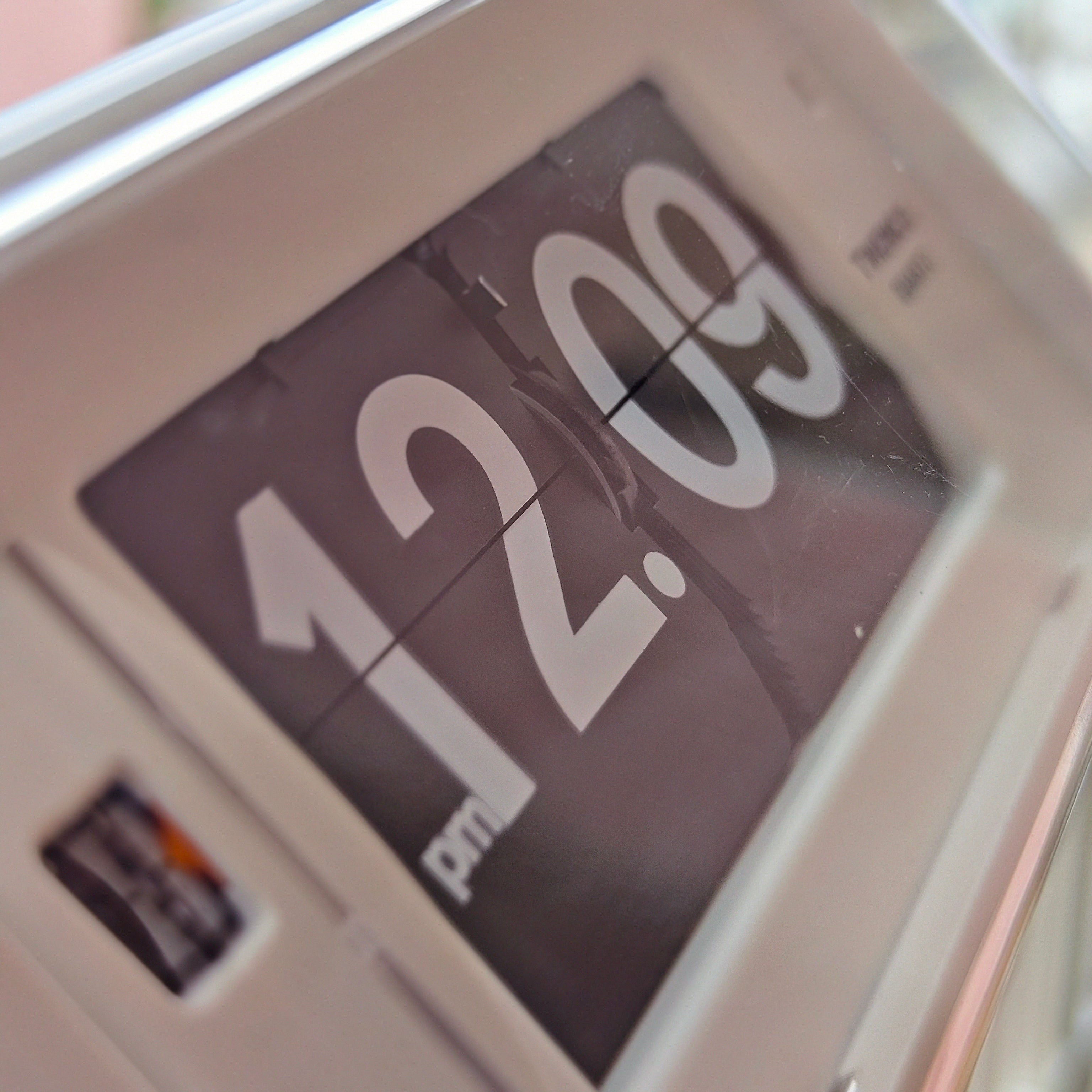
A flip clock and an electronic digital clock can both give you an easy-to-read time display. The better fit depends on where you will see it, what else occupies that surface, and how much attention you want the clock to attract.
A living-room shelf may benefit from the changing cards and sculptural presence of a flip clock. A busy desk may work better with a compact LCD showing an alarm or date. In a bedroom, the decisive detail could be a light that stays off until you press a button. Start with the room and your routine, then choose the display.
First, be clear about the two types
Here, “flip clock” means a clock with physical numbered cards that turn to show the time. “Digital clock” means an electronic display, such as LCD or LED. Strictly speaking, both show time digitally as numerals; this guide uses the everyday distinction between moving cards and an electronic screen.
An electronic clock may imitate a flip animation, but that does not give it physical cards. Our guide to mechanical and digital flip displays explains the mechanism distinction. For this buying decision, the more useful question is how each clock behaves in the place you intend to put it.
Do not assume every electronic clock glows continuously. LCD describes the display technology, while a backlight provides illumination. Adafruit’s character-LCD guide shows these as separate components and notes that some LCDs have no backlight. Check the actual clock: illumination might be absent, activated by a button, automatic, or continuously available.
Use the room to narrow the choice
| Space | A flip clock can suit | An electronic digital clock can suit | Check before buying |
|---|---|---|---|
| Living room | A visible shelf or sideboard where the clock contributes to the decor | A room where time should be easy to find without adding another prominent object | Reading distance, proportions and light after dark |
| Work desk | A clear corner where changing cards offer a small visual focal point | A compact setup needing a date, alarm or other useful information | Footprint, controls and sound while concentrating |
| Bedroom | A bedside surface where an unlit display and occasional card movement are acceptable | A model whose lighting and alarm controls fit your night-time routine | Continuous illumination, button access and audible operation |
| Kitchen or shared space | A dry, protected position with a clear view of the cards | A display chosen for the room’s viewing distance and any needed timer functions | Cleaning guidance, mounting and power access |
Living room: choose the clock’s visual role
Decide whether the clock should be a focal point or a quiet supporting detail. Physical cards introduce depth and movement. That can work well on a sideboard with a lamp, books and one or two objects, particularly when the clock has enough space around it to be seen clearly.
A shelf already filled with artwork, plants and ornaments may need less visual activity. An electronic display can offer a straightforward time readout, but its appearance still matters: bright numerals can become a strong focal point after dark, while a small unlit LCD may recede into the arrangement.
Judge scale from the sofa, not just from a product photograph. A clock that looks generous close up may be difficult to read across the room. Conversely, a large display on a narrow shelf can crowd its neighbours. Measure the usable shelf depth and leave room for any stand, controls and cable bend.
The NeXtime Modern Table & Wall Flip clock is one example to consider when comparing tabletop and wall placement. Its enclosed case also creates a different visual effect from an exposed-card design. If you want to compare that family of designs, browse the NeXtime flip-clock collection with your intended position in mind.
For a wider choice of shapes and placements, our living-room clock buying guide considers how a clock fits the room as a whole.
Work desk: protect the useful space
On a desk, a clock competes with a monitor, keyboard, notebook and the space your hands need. Before choosing a style, mark out the clock’s footprint with a piece of paper. Sit down, open your usual work materials and check whether the proposed position remains visible.
A flip clock can make sense if you mainly want the time and enjoy a physical object beside your workspace. An open design such as the MIDCLOCK Home Decor Flip Clock makes the cards part of its appearance. Place that kind of clock where stationery and cables will not press against the moving display.
An electronic clock may be more useful if you regularly consult the date or need an alarm. The Minimal Digital Clock – Medium Wall & Desk Edition, for example, lists an LCD display, alarm, backlight and date information. Check whether you will actually use those functions: extra information can help one person and make another person’s desk feel busier.
Sound is another practical difference. A physical flip clock can make a sound when its cards change. Electronic displays do not need a card-flipping mechanism, but the complete clock may still produce alarm or button sounds. For concentrated work or recorded calls, ask about the specific model and test it from your normal seated position.
Our study-desk clock guide goes further into footprint, placement and working routines.
Bedroom: inspect the night-time behaviour
A bedroom comparison should begin with two questions: do you need to read the time in darkness, and how do you want the clock to become visible? An unlit physical display will need ambient light or a separate light source. An electronic clock may be readable continuously, or may require you to press a backlight button.
Neither arrangement is automatically better. If you prefer an unlit bedside surface, check whether illumination can remain off. If you want a quick glance without reaching for a button, look for a display with lighting controls that suit you. Product photos taken in daylight cannot establish how bright a clock looks in a dark room.
Check the controls as carefully as the display. Can you activate the light without lifting the clock? Is the alarm setting separate from the time-setting control? Can you reach the buttons from bed? A rear-mounted control may be inconvenient when the clock sits against a wall or beneath a low shelf.
A flip clock’s occasional sound also deserves attention before you put it close to your head. Ask for a demonstration or use the applicable return policy to assess the exact model in your room. Avoid treating a general description such as “quiet” as a promise of silence.
For options organised around an unlit room, see our guide to bedroom clocks without bright displays.
Kitchen and shared spaces: make visibility practical
In a kitchen, hallway or shared studio, several people may read the same clock from different positions. Check it from the doorway, the work surface and any seating area. Strong numeral contrast helps, but size, angle and obstructions still determine whether the time is easy to find.
Choose a location away from splashes, steam and everyday collisions unless the manufacturer explicitly permits those conditions. An enclosed clock is not automatically waterproof, and exposed cards need a position where they will not be touched or blocked. Follow the model’s cleaning instructions rather than assuming a damp wipe is suitable for every surface.
If you want cooking timers, reminders or multiple alarms, verify that the electronic clock actually includes them and that its controls are convenient. “Digital” alone tells you nothing about those functions. A simple time-only display may be entirely sufficient for a hallway or meeting area.
For a wall installation, confirm the intended mounting method, weight and access for battery changes. A tabletop stand should not be improvised into a wall attachment. NeXtime’s model-specific clock manuals are a useful example of why installation and setting instructions should be checked for the exact product.
Consider the ownership routine before deciding
Power arrangements affect placement. A battery-operated clock can avoid a visible cable, but it needs accessible battery replacement. A mains-powered clock needs a suitable socket and a safe cable route. Neither physical cards nor an electronic screen establishes which power source a model uses. Our battery versus plug-in clock guide compares placement, maintenance and what backup power actually covers.
For battery-powered models, follow the specified battery type and replacement instructions. Energizer’s battery-care guidance recommends removing exhausted batteries and removing batteries when equipment will be stored for an extended period. Keep the battery compartment reachable when you plan the display position.
Do not use display style as a shortcut for accuracy either. NIST’s explanation of timekeeping describes how clocks count a frequency reference, including quartz vibration. The model’s timekeeping specification and any synchronisation feature matter more than whether you read cards or a screen.
If neither format feels right, hands on a dial offer another way to read the time. Our flip-clock versus analog-clock comparison explores that choice.
A final placement test
Before ordering, measure the surface, mark the footprint and view it from the places where you will actually check the time. Then confirm four details on the product page or with the seller: illumination behaviour, sound, power source and accessible controls.
Choose a flip clock when the moving display belongs in the room and its operating routine suits you. Choose an electronic digital clock when its particular display and functions make daily use easier. The best fit is the one you can read comfortably, place properly and enjoy living with.
Frequently Asked Questions
Do all digital clocks glow at night?
No. Some electronic clocks use an unlit LCD, some have a button-operated backlight, and others provide continuous illumination. Check the exact model’s lighting behaviour and controls.
Can a flip clock work well on a bedside table?
Yes, if you are comfortable with its sound and how you will read it in darkness. Check the available space, the card-changing sound and whether you need a separate light.
Which type suits a shallow shelf?
The model’s total depth matters more than its display category. Include the stand, any rear controls and cable clearance when measuring, and confirm that the clock is designed for the proposed placement.
Is a digital clock always more accurate than a flip clock?
No. Cards and electronic numerals describe the display, not the clock’s accuracy. Compare the specific timekeeping specification and any time-synchronisation features.