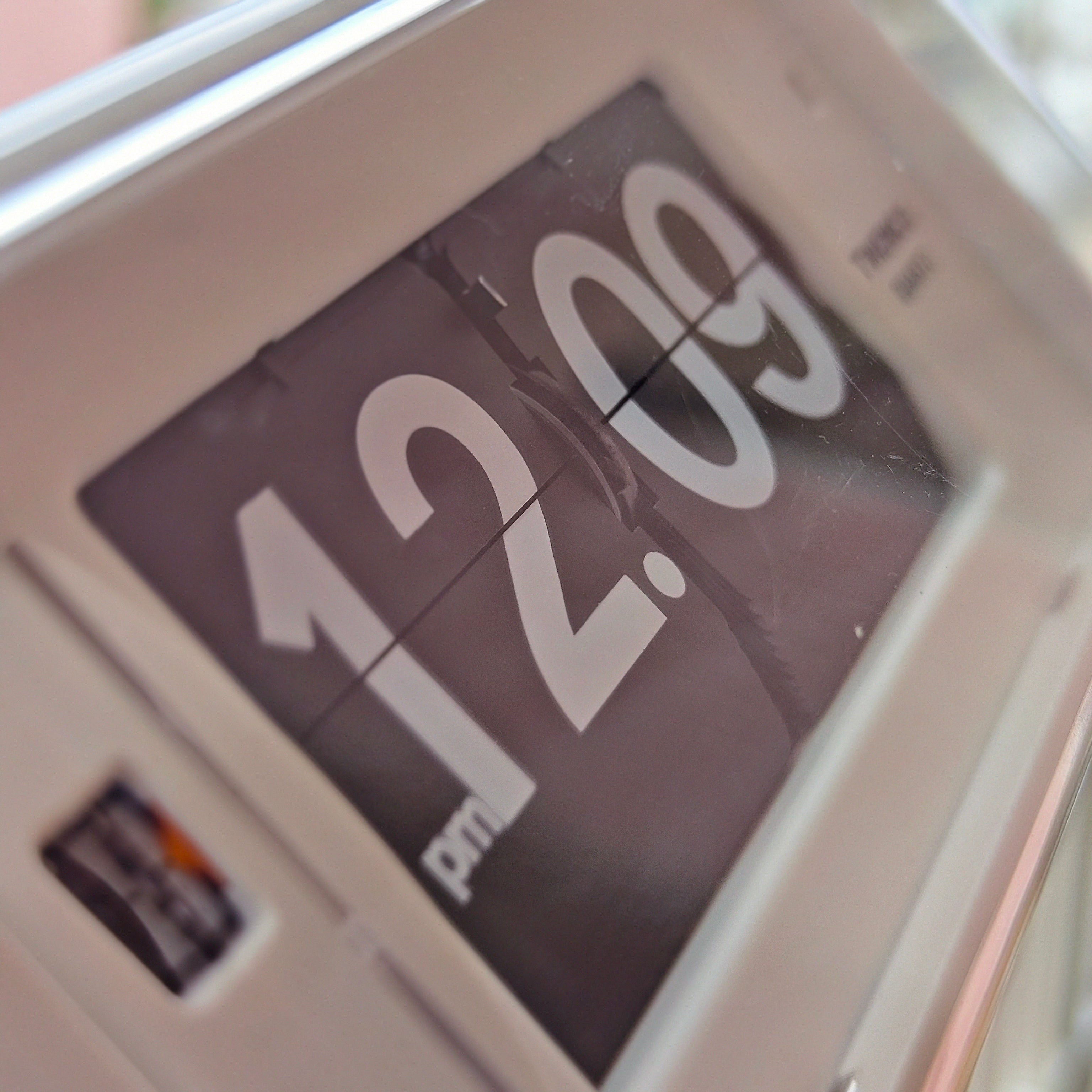
A flip clock that changes at the wrong time can be confusing because the display and the timekeeping system are related but not identical. The clock may be keeping a steady rate while a card releases late, or the whole clock may genuinely be gaining or losing time.
The fastest way to find the cause is to describe the error precisely. Does every card change by the same fixed amount? Does the difference grow over several days? Or does one card occasionally hesitate while the next changes normally? Those patterns point to different parts of the clock.
First, identify what “wrong time” means
Before resetting anything, compare the clock with a reliable reference and watch at least two or three minute changes. Record what happens rather than relying on a quick glance.
- Consistent offset: every change happens, for example, three minutes late. This usually suggests the clock was set with a three-minute offset.
- Growing error: the clock is correct today but gradually becomes further ahead or behind. This is timekeeping drift.
- Short, consistent release delay: the minute changes shortly after the reference minute, but the delay does not grow. This can be normal display timing for a physical mechanism.
- Intermittent hesitation or skipped cards: most changes are correct, but a particular card sticks, drops late or fails to settle. This points more strongly to the display, power or mechanical resistance.
- Wrong hour change: the minute row advances but the hour row changes at the wrong point. The hour and minute mechanism may be out of sequence, or the clock may have been set without following its required procedure.
For a broader explanation of this distinction, our guide to flip-clock accuracy and display timing separates true rate error from a late card release.
Why flip-clock timing problems happen
The clock was set slightly early or late
A fixed offset is often a setup issue rather than a fault. Physical flip displays cannot always be set in exactly the same way as a phone or an ordinary digital screen. Some use a setting wheel, some use buttons, and some require the display to be advanced in a particular direction.
Use the control intended for time setting and follow the model manual. Do not pull a card into place with your fingers. NeXtime maintains an official product-manual library, including a dedicated manual for its Big Flip models; other manufacturers may place instructions on the product page or inside the battery compartment.
When you reset the clock, choose a clear reference minute. Set the display according to the instructions, note any normal release delay, and observe the next few changes before deciding whether the offset remains.
The battery is weak, incorrect or making poor contact
A battery can still show some voltage while no longer providing reliable operation under load. The timing circuit may appear alive, yet the motor may hesitate when it needs enough torque to move the cards. Dirty or loose contacts can create similarly intermittent behaviour.
Check the exact battery size and chemistry specified for the model, confirm polarity, and replace the complete set if its age is unknown. Energizer’s battery-care guidance recommends using the specified type, inserting cells according to the polarity marks, keeping contacts clean and replacing all batteries in a device together with new cells of the same size and type.
Model requirements differ. The NeXtime Modern Table & Wall Flip Clock is listed for two AA batteries, while the TWEMCO QT-30 uses one C-size alkaline battery. A battery that fits a different clock is not evidence that it is right for yours. Our practical guide to flip-clock battery use explains why runtime and power requirements vary by model.
The clock is not in its intended position
Gravity is part of the display action in many flip mechanisms. A tabletop clock should stand on a stable, level surface, while a wall model should be mounted securely in the orientation specified by the maker. A clock leaning forward, twisted on an uneven shelf or pressed against another object may not release its cards consistently.
NeXtime’s clock troubleshooting guidance advises checking that models with hanging parts are upright when slow or unreliable. The exact sensitivity depends on the design, but correcting placement is a sensible non-invasive test before assuming the movement is defective.
A card is rubbing, warped or obstructed
If the problem repeatedly appears at the same displayed number, inspect that card from outside the case. Dust, a shifted card, impact damage or slight warping can add enough resistance to delay a release. A healthy mechanism should move through its sequence without the user pushing individual cards.
Do not force a card, spray cleaner into the clock or add general-purpose oil. A lubricant that is unsuitable for the plastics, axles or electrical parts can turn a minor problem into permanent damage. Use only maintenance described by the manufacturer. For wider symptom checks, see common flip-clock problems and safe first fixes.
The mechanism is out of sequence
A flip clock coordinates timing, gearing and one or more rows of cards. If the minute display was manually forced, the clock was transported without protection, or a gear or card carrier has shifted, the visible sequence may no longer match the movement.
This is different from ordinary drift. The clock may advance at a steady pace but display an incorrect hour, repeat a card or skip part of the sequence. Our explanation of how a mechanical flip clock works shows why the timebase and card mechanism need to remain coordinated.
Try only the reset procedure in the correct manual. If the sequence does not recover, stop operating the clock and contact the seller, manufacturer or a repairer familiar with that model.
The movement is genuinely running fast or slow
When the error grows smoothly over days or weeks, measure it as drift. Start with a fresh correct battery, set the clock carefully, write down the starting difference and compare it with the same trusted reference at roughly the same time each day or week.
Judge the result against the manufacturer’s specification for the exact model, including any stated temperature range. A physical flip display does not have one universal accuracy figure. The TWEMCO flip-clock collection, for example, contains models with different batteries, displays and specifications even though they share a recognizable design language.
If the rate error is stable, occasional correction may be all that is required. If it changes sharply, jumps by whole minutes or occurs alongside weak flips, the problem is less likely to be simple quartz drift.
A safe step-by-step troubleshooting sequence
- Observe the pattern. Watch several flips and decide whether the error is fixed, growing or intermittent.
- Compare with a reliable reference. Record the starting difference; do not assume the display was perfectly synchronized.
- Read the exact model manual. Identify the proper battery and approved time-setting direction or control.
- Check power. Confirm polarity and contact condition, then install a fresh matching set if the batteries are old or uncertain.
- Reset using only the intended controls. Never pull the cards or rotate exposed parts by force.
- Correct the placement. Put a table clock on a stable surface or make sure a wall clock is upright and secure.
- Inspect without dismantling. Look for a visibly bent, rubbing or obstructed card from outside the case.
- Test again. Observe several changes immediately, then measure over several days if the problem appears to be drift.
- Stop when the safe checks end. Seek service if the sequence is wrong, the motor strains, a card repeatedly jams or the clock is mains-powered and unfamiliar.
When should you stop using the clock?
Disconnect the power or remove the batteries if you notice a burning smell, unusual heat, electrical buzzing, leakage, visible corrosion spreading inside the case, or a motor repeatedly straining without advancing the display. Do not continue cycling the setting control in the hope that a jam will clear.
Extra caution is appropriate with vintage mains-powered clocks. Their insulation, wiring and previous repair history may be unknown. Internal electrical work and mechanism alignment should be handled by a qualified repairer, especially when the clock is valuable or irreplaceable.
Frequently Asked Questions
Why does my flip clock change a few seconds after the minute?
A short, repeatable delay can be the time required for the physical release and fall of the next card. If the delay remains consistent, it is display timing rather than accumulating drift. A delay that grows or becomes irregular deserves further checking.
Why is my flip clock exactly several minutes behind?
A fixed difference usually points to how the clock was set. Reset it with the intended control and the exact model instructions, then watch several changes. If the difference continues to grow, measure it as drift instead.
Can a weak battery make a flip clock show the wrong time?
Yes. A weak battery or poor contact can leave too little power for reliable motor action, causing hesitant or missed flips. Replace it with the specified type and check accessible contacts before assuming the mechanism has failed.
Should I move the cards by hand to correct the display?
No, unless the manufacturer’s manual explicitly instructs a particular manual action. Pulling or forcing cards can damage their hinges, retainers or sequence. Use the clock’s time-setting control.
Why does the same number keep sticking?
A recurring fault at one card suggests local resistance, such as rubbing, dirt, warping or misalignment. Inspect from outside without forcing it. If the approved reset procedure does not solve it, arrange repair.